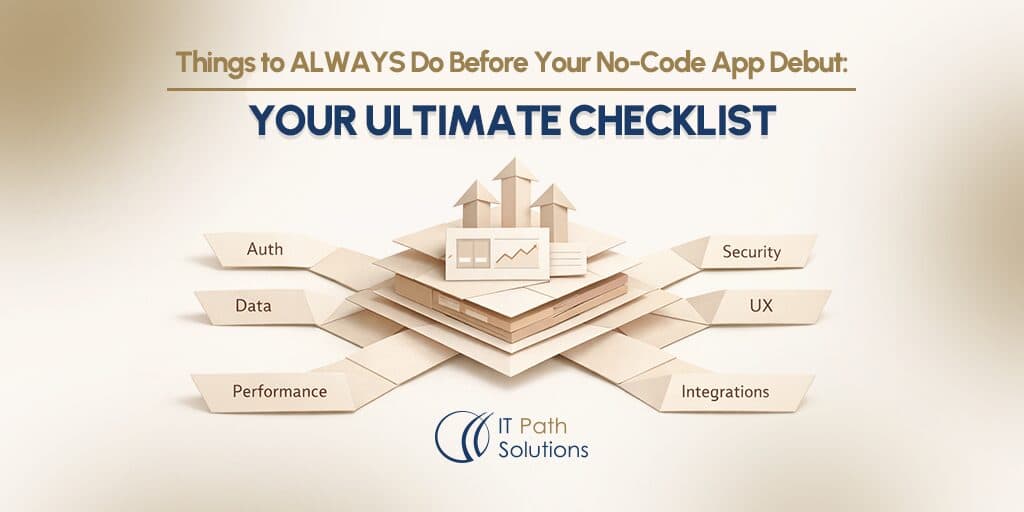
Things to ALWAYS Do Before Your No-Code App Debut: Your Ultimate Checklist
Keyur Patel
March 28, 2026
16 min
Last Modified:
May 20, 2026
You built an app with AI. It looks good. It works on your laptop.
You’ve run through the flows yourself a dozen times. The UI is clean. The data saves. The dashboard loads. And every time you click around, it does exactly what you designed it to do.
So… it’s ready to launch, right?
That’s usually the moment where things start to go wrong.
Because what you’ve tested so far isn’t “your app in the real world.” It’s a controlled version of it; one user, one browser, one device, full access, and a completely empty database.
Production is a different environment entirely.
It’s multiple users signing up at the same time. It’s incomplete profiles, unexpected inputs, slow networks, expired sessions, and permissions that don’t behave the way you assumed they would.
And almost every major production failure we’ve helped founders recover from starts the same way: the app worked perfectly, until real users showed up.
No-code tools like Lovable, Bolt.new, Replit, and Base44 are extraordinary at helping you get to that point fast. They’re genuinely not built to tell you what happens next. The AI generates an app. The checklist is your job.
This is that checklist.
Not the generic “did you test your app” version. The version built from watching no-code apps break in production and knowing exactly which ten gaps between “it works for me” and “it works for your users” you have to close before you go live.
The Gap No One Tells You About
Every no-code tool optimises for the build. The demo moment. The thing that makes founders say “I can’t believe how fast I did that.”
What none of them optimise for is the gap between your experience as the builder and the experience of a stranger hitting your app for the first time on a phone you don’t own, with data you didn’t create, doing something you didn’t expect, from a network you can’t control.
A May 2025 security scan of 1,645 Lovable-built apps found that over 170 had completely exposed databases no row-level security enabled. The exposed data included home addresses, financial records, and API keys. One breach affected 13,000 users. These weren’t negligent founders. They were builders who trusted that the tool had handled the parts they didn’t configure.
Run through this checklist before any of that becomes your story.
The Pre-Launch Checklist: 10 Things to Close Before You Go Live
1. Walk Every User Flow End-to-End: User POV
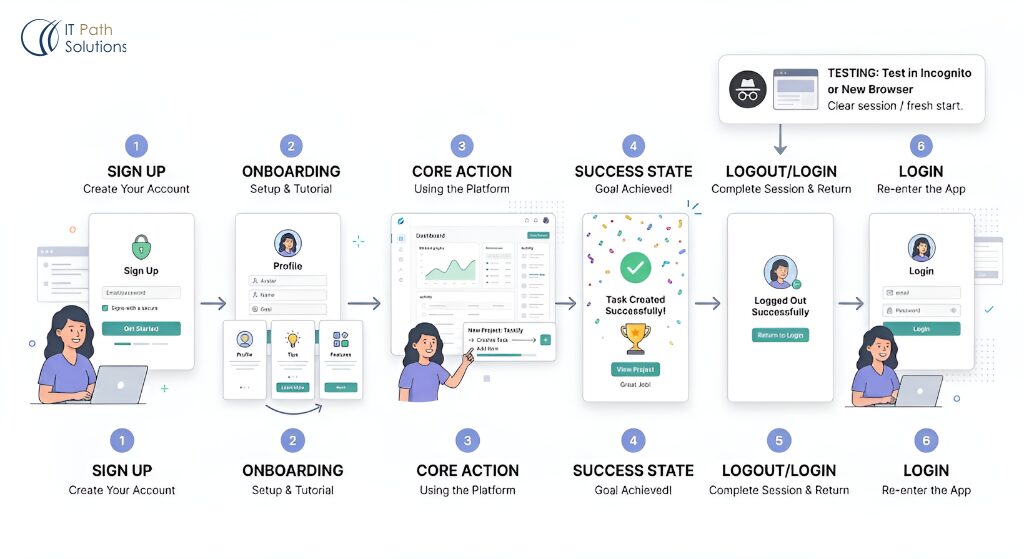
Not as yourself. Not logged in as admin.
Open an incognito window. Create a fresh account with an email address you don’t normally use. Go through sign-up, onboarding, the core action, and the success state. Every step, in order.
Then do it again in Chrome. And Safari. And Firefox.
What you’re looking for:
| Step | What to test | What breaks here |
|---|---|---|
| Sign-up | New account creation flow | Email validation, duplicate accounts, confirmation links |
| Onboarding | First screen after login | Blank states, broken redirects, missing welcome content |
| Core action | The thing your app actually does | API timeouts, failed saves, UI that assumes admin state |
| Success state | What users see after completing the action | Missing confirmation, broken navigation forward |
| Log out / log back in | Session persistence | Tokens not cleared, state not refreshed, data not reloading |
The incognito window is not optional. Your browser has cached assets, active sessions, and local storage that a new user will never have. Testing in your normal session is testing a version of your app that no one else will ever see.
2. Lock Down Your Data Permissions
This is the one that ends careers.
In February 2026, a security researcher audited a Lovable-showcased EdTech app, with real users from UC Berkeley and universities across Europe, Africa, and Asia.
The researcher found 16 security vulnerabilities in a few hours, 6 of them critical. The authentication logic was literally inverted: it blocked logged-in users and allowed anonymous ones through. Nearly 18,000 user records were accessible with no authentication required.
That app was built by someone who thought it was ready to launch.
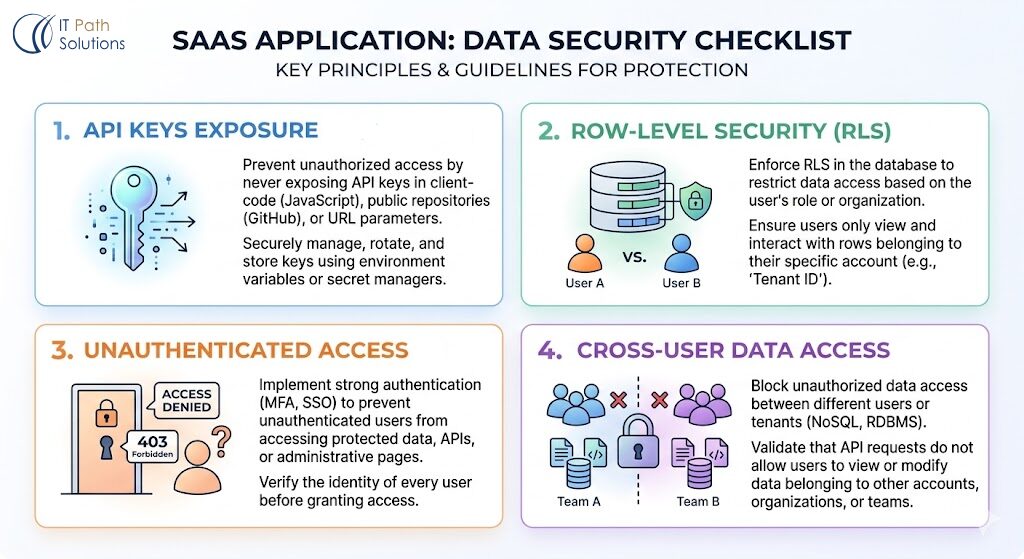
Before you go live, check these four things:
- API keys in front-end code.
Open your browser DevTools (right-click → Inspect → Sources or Network tab). Search for OPENAI_API_KEY, STRIPE_SECRET, SUPABASE_SERVICE_KEY. If you can see them there, anyone can. Keys in front-end JavaScript are public. Move them server-side or into environment variables immediately.
2. Row-Level Security on your database.
If you’re using Supabase (the default backend for Lovable), RLS — Row-Level Security — is the system that controls which users can read or write which rows of data. By default, Supabase tables are open. RLS must be explicitly enabled and configured. If you haven’t done this, every user can query every other user’s data. Check Supabase → Authentication → Policies. If you see empty policy lists on tables that hold user data, stop here.
3. What a logged-out user can access.
Open an incognito window and try to navigate directly to pages that should require login. Try accessing /dashboard, /settings, /admin, /api/users. If you can reach them without logging in, your auth routing has a gap.
4. What a regular user can access that belongs to another user.
Create two test accounts. Log in as User 1, note the URL of something that belongs to them (a record, a page, an ID). Log in as User 2. Paste that URL. If User 2 can see User 1’s data, you have an authorisation problem, not just an authentication one.
3. Test on a Real Phone — Not a Desktop Preview
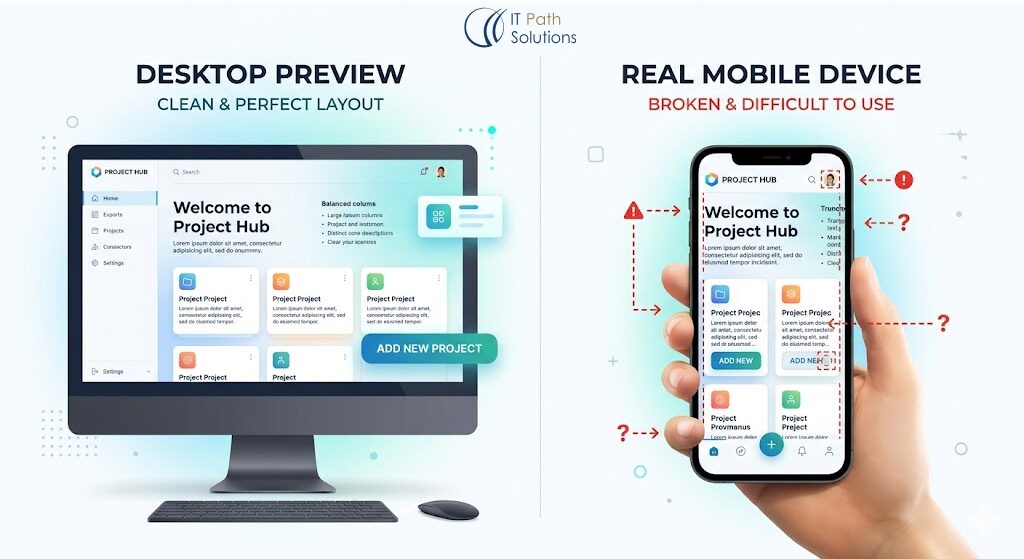
More than 60% of web traffic comes from mobile devices. The preview mode inside your no-code tool is not the same as opening your app on an actual phone on a mobile network.
And this is exactly where most apps silently break.
So instead of relying on preview mode, test it on a real device, the same way your users will experience it.
What you will be checking:
- Every tap target should be large enough to hit without frustration. The minimum is 44 pixels. Buttons that work fine with a cursor become impossible with a thumb.
- Zero horizontal scroll. If anything causes left-right scrolling, it will break the experience for mobile users.
- Forms behave correctly when the keyboard opens. The keyboard pushing the viewport up is one of the most common mobile bugs in no-code apps. Test any screen with a form input.
- Text should be readable at normal size without zooming. If users have to pinch to zoom to read your content, you’ll lose them.
If you built in Lovable, Bolt.new, or Base44, also test your app at 375px width (iPhone SE size) as it’s the smallest common viewport and the one that exposes layout breakages fastest.
4. Design Your Error States Before Users Find Them For You
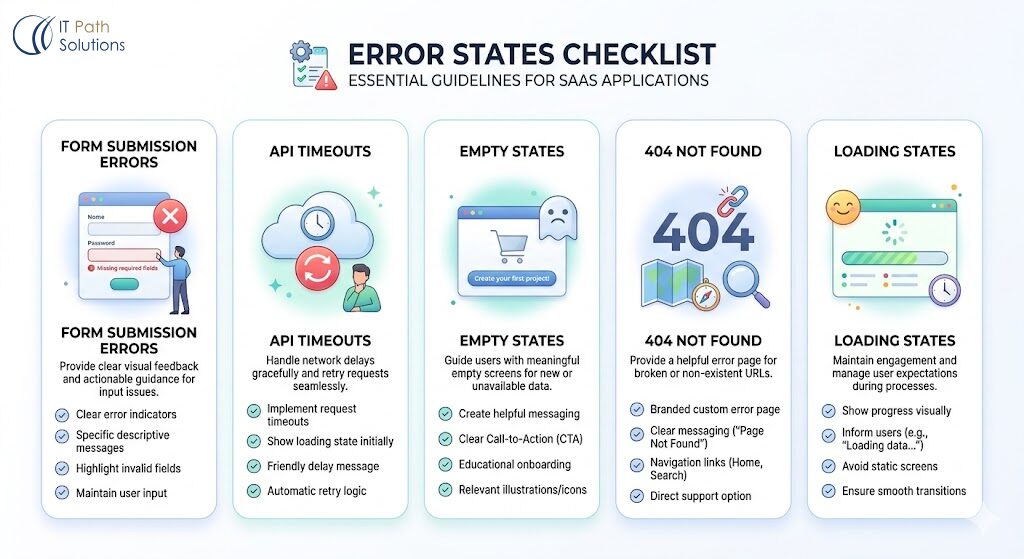
The happy path always works. It’s the path that breaks at 11pm on a Tuesday, when a user’s payment fails, or your API is slow, or they submit a form twice, that determines whether people trust your product, especially in complex billing integrations where small edge cases compound quickly.
Before launch, your app needs a response for every failure mode:
- Form submission failures.
What happens when a user submits a form and the save fails?
Does the page go blank? Does nothing happen? Do they lose their input?
The correct behaviour: show a clear error message, keep the input populated, let them try again.
2. API timeouts
No-code apps often rely on third-party APIs that can be slow or unavailable. If your app calls an external service, test what happens when it doesn’t respond. A spinning loader with no timeout is a user experience dead end.
3. Empty states
What does a new user see before they’ve created any data? “No results” is not an empty state.
A message that explains what goes here and what they should do next is an empty state. Design it.
4. 404 pages
When a user lands on a broken or missing URL, what do they see? A blank white screen, or a page that tells them what happened and gives them a route back? Build the 404 page before you launch.
5. Loading states for slow operations
Any action that takes more than 300ms to complete needs a visual signal that something is happening. If nothing appears to after a user’s action, they will click again, resulting in double submits, duplicate records, and broken state.
5. Run a Real Beta Test — Not a Friends and Family Preview
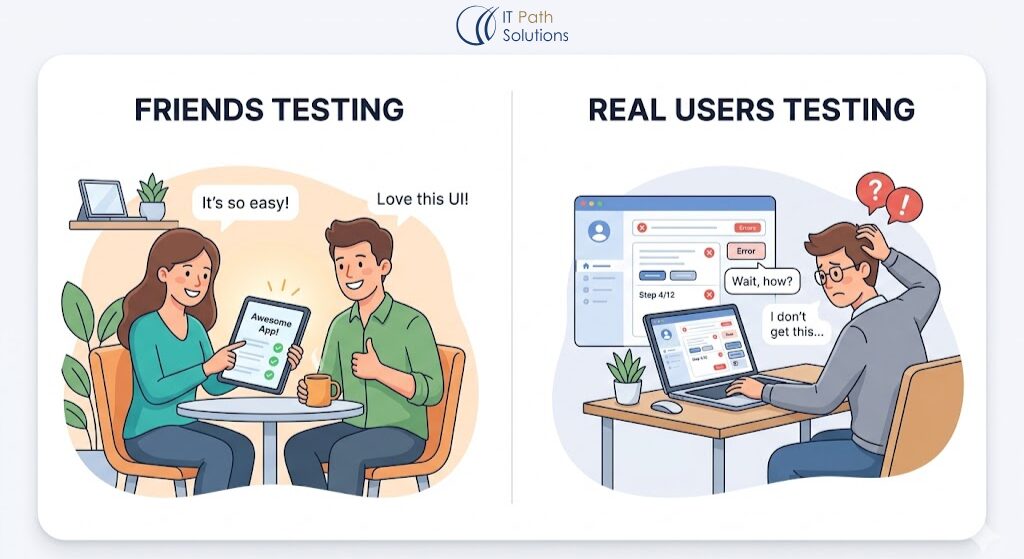
The people who love you will not tell you what’s broken. They’ll assume they made a mistake, or they’ll work around the confusion, or they’ll say “it’s great” because they want to be supportive.
You need five to ten people who have no relationship with you and no stake in your feelings. Give them no instructions. Watch what they do.
Here’s the format that works:
- Recruit strangers from communities where your target users hang out: Reddit, Slack groups, Twitter/X, niche Discord servers.
- Give them a one-sentence goal: “Sign up and do [the core action of the app].” Nothing else.
- Watch them do it via a screen recording tool like Loom (async) or a live session.
- Note every moment they hesitate, click the wrong thing, or ask a question. Those are your friction points.
- Don’t explain or defend during the session. You won’t be there when real users get confused.
Fix the top three confusions before launch. You’ll find a fourth after launch. That’s fine. The goal isn’t perfection, it’s catching the things that would make new users leave in the first 90 seconds.
6. Install Analytics Before Your First Real User Arrives
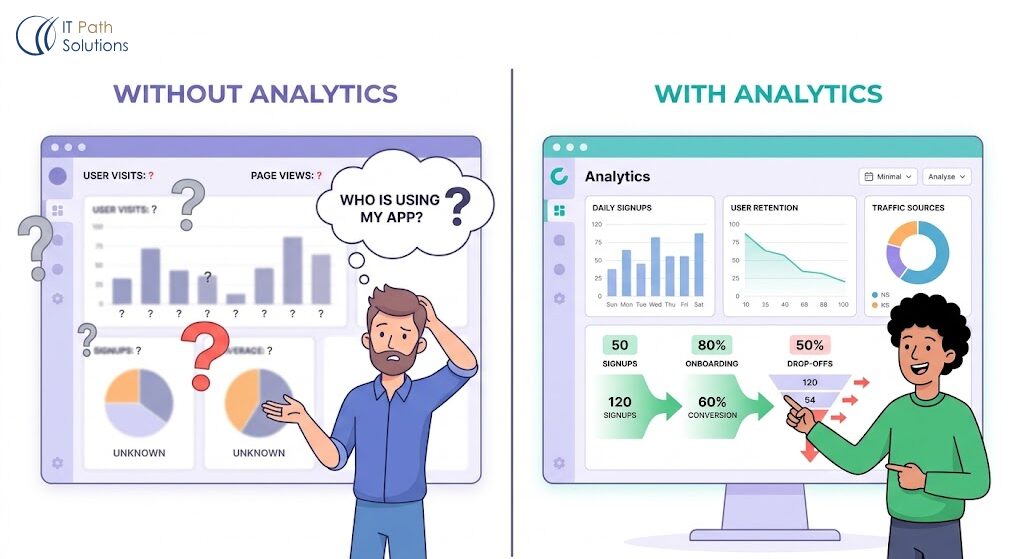
If you launch without analytics, you will have no idea what’s working, what’s broken, or who is actually using your app. You will be flying blind through the most important feedback window your product will ever have.
Pick one tool. Google Analytics is free. Mixpanel and PostHog have generous free tiers and are significantly better for product analytics (tracking what users do, not just which pages they visit).
Before you go live, set up tracking for:
- Sign-ups (did a new user complete registration?)
- The core action (did they do the thing your app is for?)
- Drop-off points (where do users leave before completing the core action?)
- One conversion goal that defines success for this launch
The goal isn’t to instrument everything. It’s to be able to answer, after week one: did the people who signed up do the thing I built the app for? If yes, keep going. If no, find out where they stopped.
7. Build a First-Session Experience That Doesn’t Assume Context
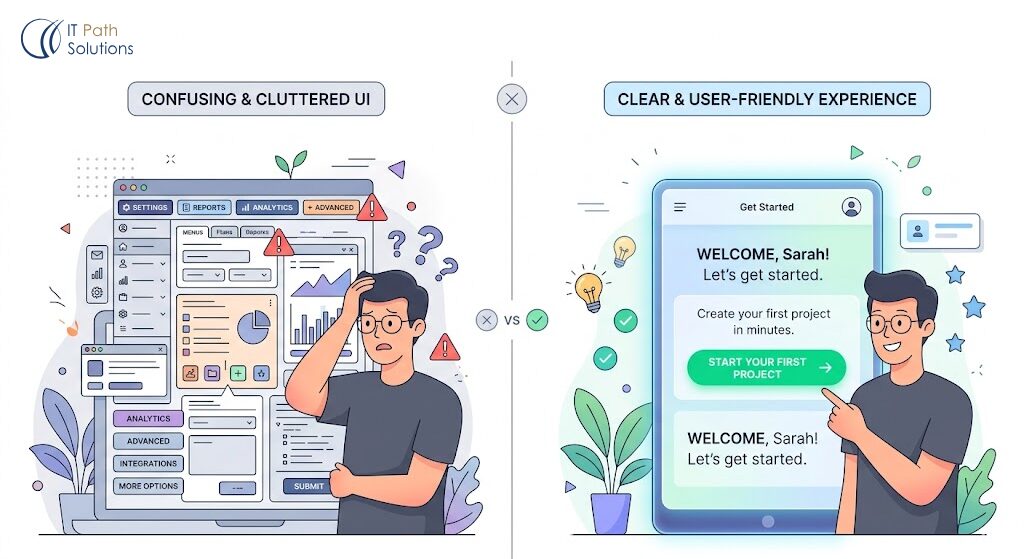
The first 60 seconds after a new user logs in determines whether they stay or close the tab.
Your app makes complete sense to you. You know what every button does, why the dashboard is laid out the way it is, and what the user is supposed to do first. The user has none of that context. They see a screen. They need to understand what to do in under ten seconds or they’ll leave.
What a first-session experience needs:
- One clear primary action on the first screen. Not five options. Not a full feature menu. One thing: “Start here.”
- A brief explanation of the value they’re about to get. One sentence. “This is where you [outcome].”
- Guidance for empty states. If the app has sections that are empty until the user adds data, tell them what goes there and how to add it.
- A way to understand what the app does in the first screen, without having to click around to figure it out.
Lovable and Base44 allow you to add onboarding flows, tooltips, and welcome modals through their UI components. Bolt.new apps can integrate Intercom or Userflow for lightweight onboarding. Use them. The first session is too important to leave to the user’s intuition.8. Set Up a Feedback Channel Before You Need One
8. Set Up a Feedback Channel Before You Need One
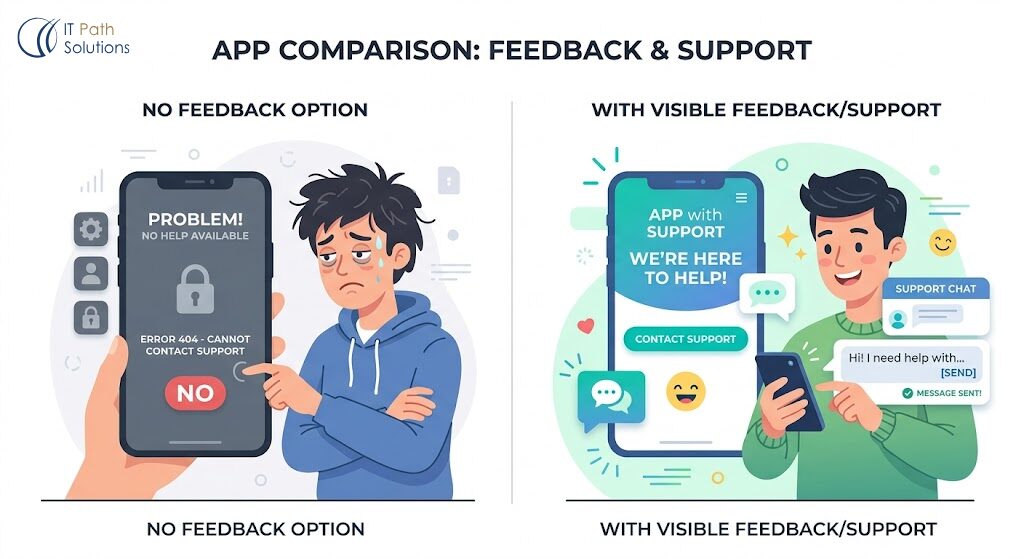
Users who can’t reach you don’t complain. They leave and tell other people.
A visible feedback mechanism isn’t just a support tool. It’s a trust signal. It tells users that someone is on the other side of this product, paying attention. That signal matters disproportionately for early-stage apps where users are deciding whether to invest their time.
What you need before launch:
- A feedback button visible on every screen. Tally and Typeform are fast to set up and free to start. Place the button in a consistent location like a fixed bottom-right widget is the standard.
- A simple FAQ that answers the three questions you know users will have. Don’t wait until the questions come in. Write it before launch.
- A public roadmap if you’re planning to build features based on feedback. Notion, Trello, or Coda works fine. Users who can see what’s coming are more likely to stay through rough edges.
- An email address or support inbox that you check daily for the first 30 days. Nothing kills early adoption faster than a question that goes unanswered for a week.
9. Run a Speed Check
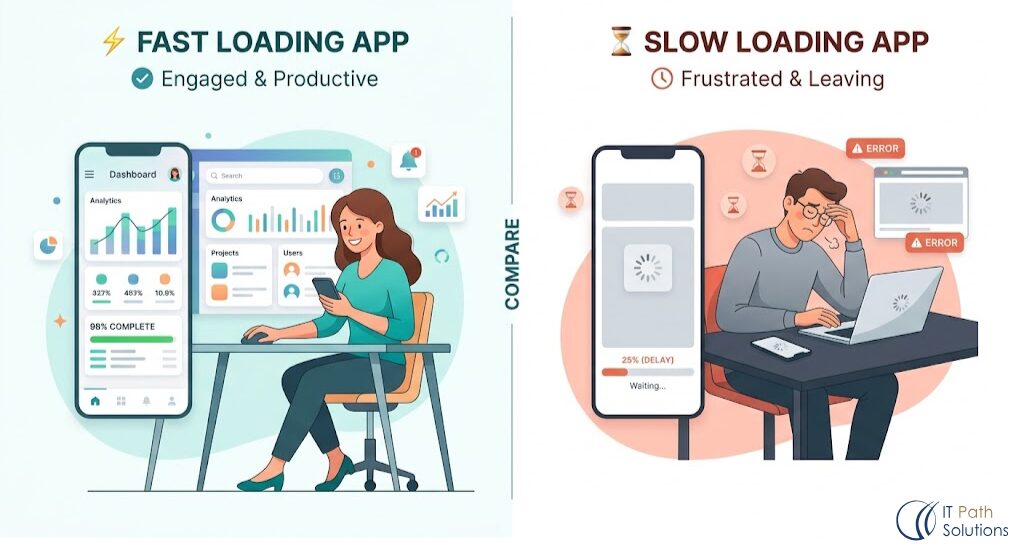
A page that takes more than three seconds to load loses a significant portion of its visitors before they see a single pixel of content. Speed is not a nice-to-have for a launch. It’s a first impression.
Run your app through Google PageSpeed Insights. Do it on the mobile tab, not desktop.
Look at your Largest Contentful Paint score as that is the time it takes for the main content of your page to appear.
Under 2.5 seconds is good. Over 4 seconds is a problem.
Common speed issues in no-code apps:
- Uncompressed images. Any image over 500KB that loads on the first screen will slow your app. Compress images before uploading with Squoosh or TinyPNG.
- Too many third-party scripts. Each analytics tool, chat widget, and tracking pixel adds load time. For launch, only install what you actually need.
- Cold starts on serverless functions. If your app uses serverless API calls (common in Lovable and Base44 backends), the first call after inactivity can take several seconds. Test your app after it’s been idle for 15 minutes to check for cold start delays.
Speed is the one metric every user experiences but no user can name. They just know when something feels slow, and they leave.
10. Have a Launch Day Plan
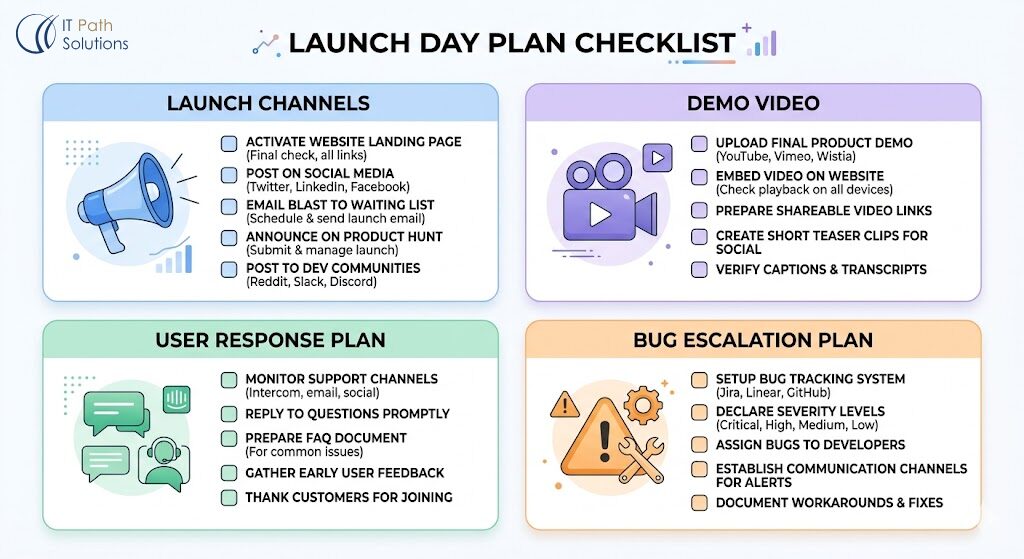
Launching without a plan is how founders end up with a broken app, no time to respond, and a Reddit thread full of complaints they found three days later.
A launch day plan doesn’t need to be complex. It needs to exist:
Where you’re announcing. Choose your channels in advance: LinkedIn, Product Hunt, Hacker News, relevant subreddits, Twitter/X, your existing audience. Prepare the posts. Don’t write them on launch day.
A short demo video. A Loom walkthrough under 3 minutes with your face on camera, your screen sharing, showing the core action from sign-up to success. This is the single most effective piece of launch content you can create. People share videos. They don’t share screenshots.
A response plan for the first 4 hours. Block 2 to 3 hours to reply to comments, DMs, and incoming support questions. First-day responses are visible to everyone who comes to your listing later. A founder who responds thoughtfully to every comment looks like someone worth betting on.
A known escalation path for critical bugs. If something breaks in the first hour, what do you do? Who do you call? Have a plan before you need one.
The Table That Matters Before You Hit Publish
Run this before you touch the launch button.
| Area | What to Check | Pass Condition | Red Flag |
|---|---|---|---|
| User flows | All flows tested in incognito | Complete without errors | Any broken step or assumption about session state |
| Security | API keys, RLS, anonymous access | Nothing sensitive exposed | Keys in front-end JS, empty RLS policies, unprotected routes |
| Mobile | 375px, real device, touch targets | Works without horizontal scroll | Overflow, small targets, keyboard bugs |
| Error states | Form fails, API timeout, 404 | User sees message + path forward | Blank screen, spinner with no timeout, no 404 page |
| Beta test | 5+ strangers tested | Core flow completed without guidance | Hesitation, wrong-path clicks, confusion in first 60 seconds |
| Analytics | Tracking installed | Signups and core actions tracked | No analytics installed |
| Onboarding | First screen clear | Single CTA, value statement visible | Multiple options, empty state with no guidance |
| Feedback | Channel live | Button visible, FAQ exists | No way for users to reach you |
| Speed | PageSpeed Mobile LCP | Under 2.5s | Over 4s or uncompressed images on first load |
| Launch plan | Written, scheduled | Posts ready, time blocked | Improvised, no demo video, no response plan |
If every row in this table has a green check, you’re ready.
If you’re staring at four or five red flags, you’re not and that’s exactly the right thing to know before your users find them for you.
What Happens After You Launch
The checklist gets you to a solid foundation. It doesn’t prevent everything.
Your first real users will break things you never anticipated. They’ll use your app on devices you didn’t test, from countries you didn’t consider, in ways that make complete sense to them and none to you. That’s not a failure of your preparation. That’s how products get better.
What separates the apps that survive this phase from the ones that don’t is whether the founder is watching, reachable, and fast. Analytics tells you where users stop. Feedback tells you why. And the ability to ship a fix the same day you discover the problem is what builds the trust that turns early users into advocates.
Your app is ready to build that trust. It just needs to be ready to meet your users first.
Launching is Not The Finish Line, But The First Real Test
By the time you reach this point, one thing should be clear: launching your app isn’t about whether it works on your machine. It’s about whether it holds up when the environment changes, when users behave unpredictably, and when the conditions are no longer under your control.
That’s the gap this checklist is designed to close.
Not perfection. Not edge-case-proofing every possible scenario. But removing the most common points of failure that turn a promising product into a frustrating first experience.
Because early users don’t see your roadmap, your effort, or your intent. They see what’s in front of them, and they decide quickly whether it’s something they trust enough to continue using.
This checklist is how you make sure that decision goes in your favour.
If you’ve worked through it carefully, you’re not just launching an app that “works.” You’re launching something that’s ready to be used, tested, and trusted in the real world.
And that’s what actually matters.
Ready to Launch — But Not Sure Your App Is?
If you ran through this checklist and found things you’re not sure how to fix like permission issues you don’t know how to configure, mobile layouts that won’t respond correctly, an API security gap you can’t trace, that’s a normal place to be and that’s why we are here to help you out.
The 80% of your app that works is solid. You built it. The 20% that’s creating risk is engineering judgment territory, and it’s fixable without starting over.
IT Path Solutions works with no-code founders at exactly this stage. We don’t rebuild what’s working. We fix what’s creating risk, close the gaps this checklist surfaces, and get your app to a place where it’s ready for real users.
Book Your Free Session Now and Let’s Build Something Amazing Together!

Keyur Patel
Co-Founder
Keyur Patel is the director at IT Path Solutions, where he helps businesses develop scalable applications. With his extensive experience and visionary approach, he leads the team to create futuristic solutions. Keyur Patel has exceptional leadership skills and technical expertise in Node.js, .Net, React.js, AI/ML, and PHP frameworks. His dedication to driving digital transformation makes him an invaluable asset to the company.
Related Blog Posts
We Fixed a Bolt.new App the Night Before a Product Launch. Here’s the Full Timeline.